Running a pathology lab in India today means juggling NABL audits, rising patient volumes, referral management, and the constant pressure to cut turnaround times, all at once. The software you pick either compounds that pressure or relieves it.
So if you're evaluating a Lab Information System (LIS) right now, here's a no-nonsense, 10-point framework that cuts through vendor noise.
How to Choose Lab Software
To choose the right lab software, start by mapping your lab’s daily workflow: registration, sample collection, barcode tracking, analyzer results, report approval, billing, referral management and report delivery.
A good Laboratory Information System should help your lab reduce manual entry, improve turnaround time, manage reports consistently, track samples clearly and support your growth across branches or collection centres.
Before selecting a vendor, check these five things first:
| Buying Factor | What to Check |
|---|---|
| Workflow fit | Does it match how your lab actually works every day? |
| Reporting | Can you customize report formats, reference ranges and signatures? |
| Analyzer integration | Does it support your specific machines and result-transfer needs? |
| Compliance support | Does it support QC records, audit trails and approval workflows? |
| Vendor reliability | Does the vendor provide onboarding, support, data migration and clear SLAs? |
The best lab software is not the one with the longest feature list. It is the one your reception team, technicians, pathologists, billing team and lab owner can use comfortably every day.
LIS, LIMS or Lab Management Software: What Should Indian Labs Choose?
When comparing lab software, you may see terms like LIS, LIMS, lab management software and pathology lab software used together. They are related, but the intent is different.
| Term | Best Fit | Main Use |
|---|---|---|
| LIS - Laboratory Information System | Pathology labs, diagnostic labs, hospital labs | Patient registration, samples, reports, billing, analyzer results and approvals |
| LIMS - Laboratory Information Management System | Research, pharma, industrial and QC labs | Sample management, batch tracking, experiments and quality workflows |
| Lab Management Software | Broad term used by Indian labs | Daily lab operations, billing, reporting and staff workflows |
| Pathology Lab Software | Pathology and diagnostic labs | Test reports, patient data, referrals, billing and sample tracking |
For most Indian pathology labs and diagnostic centres, an LIS or pathology lab software is the right category. A research-style LIMS may include features your lab does not need while missing diagnostic reporting, patient communication and referral workflows.
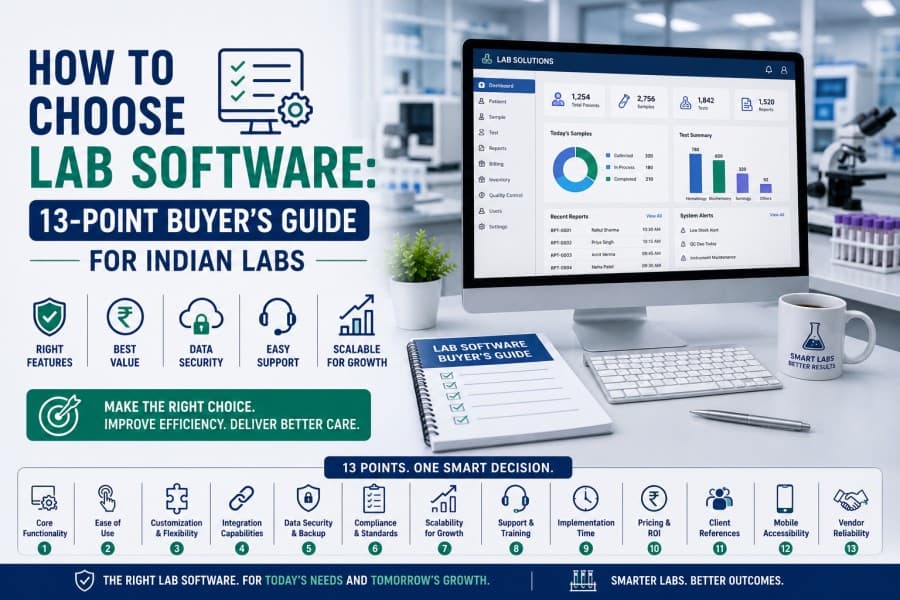
13 Factors to Consider Before Buying Lab Software
Here are the 13 points every lab owner and pathologist must evaluate.
1. Compliance With Regulatory Standards
NABL accreditation is non-negotiable for labs that want to stay competitive and compliant. Your LIS must support NABL documentation norms, Quality Control (QC) records, and audit trails out of the box.
When you learn how to choose lab software, this is the first filter. If a vendor can't show you how their system handles NABL compliance workflows, move on.
2. Report Format and Customisation
A cookie-cutter report format won't cut it. Pathology labs in India deal with varied test panels, multi-department outputs, and referring doctor preferences. Your LIS should let you with the following.
- Customise fonts, test parameters, and layouts per department.
- Add personalised interpretations and reference ranges.
- Include dynamic QR codes so patients can download reports instantly.
- Support digital signatures by the doctor and the department.
- Attach barcodes for sample tracking.
A rigid pathology report format is one of the most common complaints labs have about legacy systems.
3. Turnaround Time (TAT) Management
Turnaround Time (TAT) is the metric every referring doctor watches. One delayed report can cost you a referral relationship.
Good lab software tracks every test, from sample registration to report approval, in real time. You should get alerts for pending tests, bottleneck detection, and clear visibility into which stage a sample is at, at any given moment.
Ask vendors: Can I see live TAT dashboards without exporting data? If the answer involves manual steps, that's a red flag.
4. AI Capabilities
AI is becoming an important part of modern lab software, but it should not replace clinical judgment. In pathology workflows, AI should assist your team with review, readability and workflow efficiency while final validation remains with qualified pathologists and authorized lab professionals.
When evaluating AI features, look for practical use cases such as:
Flagging abnormal or critical values for human review
Creating patient-friendly explanations after report approval
Helping pathologists prepare structured report notes
Supporting voice-based reporting workflows
Showing trend summaries where previous results are available
Ask vendors to show exactly where AI is used, who reviews the output, and whether the final report can be edited and approved by the pathologist before release..
5. Lab Finance Management
Billing errors and revenue leakage are silent killers. Your LIS should handle the full financial cycle: invoicing, payment collection, credit management, and financial reporting, without you needing a separate accounting tool. During your pathology software selection, ask for a live walkthrough of the billing module.
6. Referral and Commission Management
Referrals are the lifeblood of most independent labs. Yet commission tracking is one of the messiest operations in the industry, still managed on spreadsheets.
A strong LIS handles multiple referral sources, tracks commissions automatically, and gives you a centralised dashboard to manage all referring doctor relationships. This is something many lab owners overlook when they're evaluating how to choose lab software, and regret it later.
7. Bulk Operations and Scale Readiness
If your lab processes hundreds of samples a day, you can't afford a system that makes you handle every action one at a time.
Look for bulk capabilities: bulk sample registration, bulk report download, bulk invoice generation, and bulk report sharing via WhatsApp, SMS, and email. These features make an enormous difference in daily operations.
It is particularly relevant for labs that are scaling across multiple collection centres or planning to expand.
8. Integration With Lab Equipment
Lab equipment integration is one of the most under-discussed points in any LIS buying guide. Your analyser, haematology machine, or biochemistry equipment should communicate directly with the software.
Manual data entry from machines to LIS is a source of transcription errors and wasted time. During your pathology software selection, ask vendors for a list of analysers and lab equipment they currently integrate with. Confirm your specific machines are on that list.
9. How to Evaluate Vendor Credibility
India has a growing market for LIS platforms, and not all of them are equal. When comparing top LIS software in India, look at the following.
- Client base: How many NABL-accredited labs use this software?
- Implementation support: Who handles your onboarding and training?
- Uptime and reliability: What's the SLA for downtime?
- Update frequency: How often does the software get new features or compliance patches?
A vendor with a track record across verified NABL labs is a stronger bet than a newer player with better-looking demos.
10. Usability for Your Team
Even the most powerful LIS fails if your lab technicians can't use it comfortably. When evaluating how to choose lab software, run a usability test with your actual team, not just the IT person.
Put a sample registration scenario in front of your front-desk staff. Ask your reporting pathologist to generate a report. Watch where they get stuck. A system that requires a three-day training before basic use will create resistance on the ground.
The interface should be intuitive enough that a technician with basic computer literacy can handle core tasks without constant hand-holding.
11. Pricing, TCO and Contract Terms
Do not evaluate lab software only by monthly price. A cheaper system can become expensive if your team loses time, reports are delayed, or you need paid customizations for basic workflows.
When comparing LIS pricing, check the total cost of ownership:
| Cost Area | Questions to Ask |
|---|---|
| Subscription or license fee | Is pricing monthly, yearly or one-time? |
| Users and branches | Are extra users, centres or collection points charged separately? |
| Analyzer integration | Is machine integration included or charged per analyzer? |
| Report customization | Are custom report formats included? |
| Data migration | Is old patient, test and billing data migrated? |
| Training | Is staff onboarding included? |
| Support | Is support included or paid separately? |
| Updates | Are new features and compliance updates included? |
| Exit cost | Can you export your data if you switch vendors? |
Ask every vendor for a written quote that includes implementation, integrations, support, data migration and future branch expansion.
12. Data Security, DPDP and Access Control
A lab software system handles sensitive patient and diagnostic data. Before finalizing any vendor, ask how your data is stored, accessed, backed up and exported.
India’s Digital Personal Data Protection Act, 2023 applies to digital personal data processing and recognizes both the right of individuals to protect personal data and the need to process such data for lawful purposes.
For pathology labs, this means the software vendor should be able to explain:
- Who can access patient records
- Whether role-based permissions are available
- Whether user activity and report edits are logged
- How backups are managed
- Where data is hosted
- Whether data can be exported if you leave the platform
- How patient consent and communication workflows are handled
- What happens if there is a data breach or downtime
Avoid saying yes to a vendor that cannot clearly explain privacy, access control, backup and data ownership.
13. Implementation and Data Migration
A good LIS buying guide should not stop at features. Implementation decides whether your team actually uses the software successfully.
Before signing the contract, ask the vendor:
| Implementation Area | What to Confirm |
|---|---|
| Setup timeline | How long will configuration take? |
| Test catalogue | Who will configure tests, profiles and packages? |
| Report formats | Will your existing report formats be recreated? |
| User roles | Can reception, technician, pathologist and admin roles be separated? |
| Branch setup | Can multiple branches or collection centres be configured? |
| Data migration | Can old patient, report and billing data be imported? |
| Analyzer integration | Which machines will be connected first? |
| Staff training | Will the vendor train each user group? |
| Go-live support | Will support be available during the first few weeks? |
Do not rely only on a polished demo. Ask the vendor to show how your actual workflow will be configured.
Quick Decision Checklist
- NABL compliance documentation built in.
- Fully customisable pathology report format.
- Real-time TAT tracking and alerts.
- Genuine AI features (interpretation, flagging, voice reporting).
- End-to-end finance and billing automation.
- Automated referral commission tracking.
- Bulk operations for high-volume labs.
- Lab equipment integration confirmed for your machines.
- Vendor track record with NABL labs verified.
- Usability tested with your actual team.
Vendor Demo Questions to Ask
Use this checklist during vendor demos.
| Area | Question to Ask |
|---|---|
| Registration | Can you show patient registration and repeat-patient lookup? |
| Sample tracking | Can samples be tracked with barcode status? |
| Analyzer integration | Can you confirm compatibility with our machines? |
| Reporting | Can we customize CBC, LFT, KFT and other report formats? |
| Approval | Can pathologists review and approve reports digitally? |
| TAT | Can we see pending and delayed tests in real time? |
| Billing | Can invoices, discounts, credit and dues be managed? |
| Referral management | Can doctor-wise referrals and commissions be tracked? |
| Branches | Can we manage multiple labs or collection centres? |
| Security | Can user permissions and audit logs be reviewed? |
| Data export | Can we export all data if we leave the platform? |
| Support | What is the support channel and response time? |
Red Flags While Choosing Lab Software
Avoid vendors that show these warning signs:
| Red Flag | Why It Matters |
|---|---|
| No live workflow demo | You may only be seeing screenshots, not the actual product. |
| No analyzer compatibility confirmation | Manual result entry may continue after purchase. |
| Limited report customization | Your lab may struggle with doctor-specific or department-wise formats. |
| No clear data export policy | You may face vendor lock-in later. |
| Weak support process | Your team may get stuck during go-live. |
| No audit trail | Report changes and approvals may be hard to track. |
| No branch-level controls | Scaling to multiple centres may become difficult. |
| Generic software not built for labs | It may not support diagnostic workflows properly. |
Why FLABS LIS Is Worth Considering
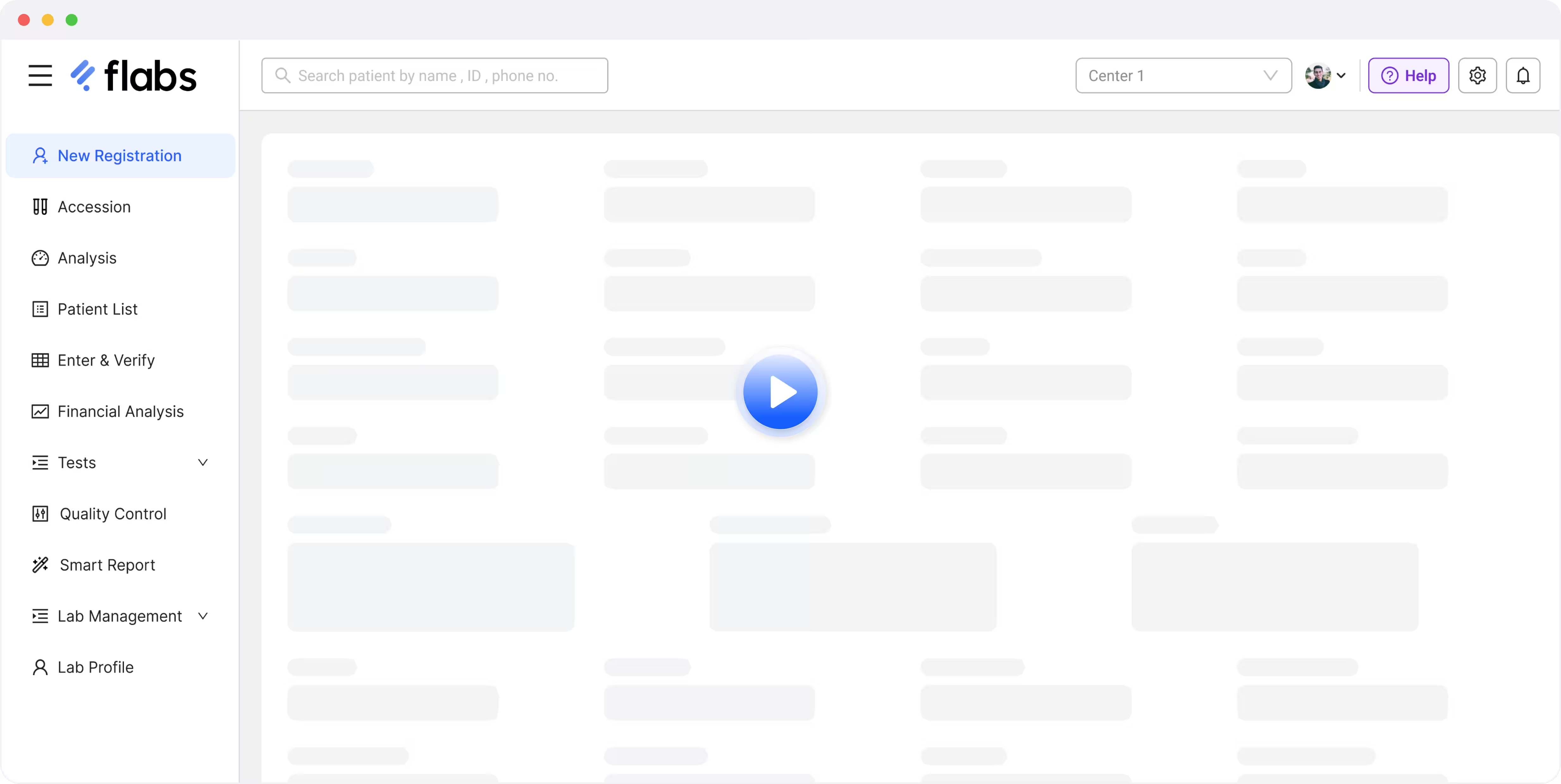
If you are evaluating lab software for an Indian pathology lab or diagnostic centre, FLABS LIS is worth considering because it is built around real laboratory workflows.
FLABS helps labs manage patient registration, sample tracking, analyzer result capture, pathology reporting, billing, referral management, quality workflows and digital report delivery from one connected platform.
The platform is used by 2,500+ labs and supports 150+ analyzer integrations. It also includes reporting workflows, customizable report formats, digital signatures, barcode and QR code support, bulk actions, finance management and multi-branch operations.
FLABS AI features are designed to assist with workflow efficiency, report readability, flagging and review support. They do not replace pathologists or final clinical approval. Your qualified lab professionals remain in control of report validation, interpretation and release.
Book a FLABS demo to evaluate the platform with your actual lab workflow, test volume, analyzers, reporting formats and branch requirements.
Explore FLABS Laboratory Information System Software
Get Started at ₹1!
Try Flabs for a full month for just ₹1.
Follow us on